DESIGN
THE ONBOARDING FLOW
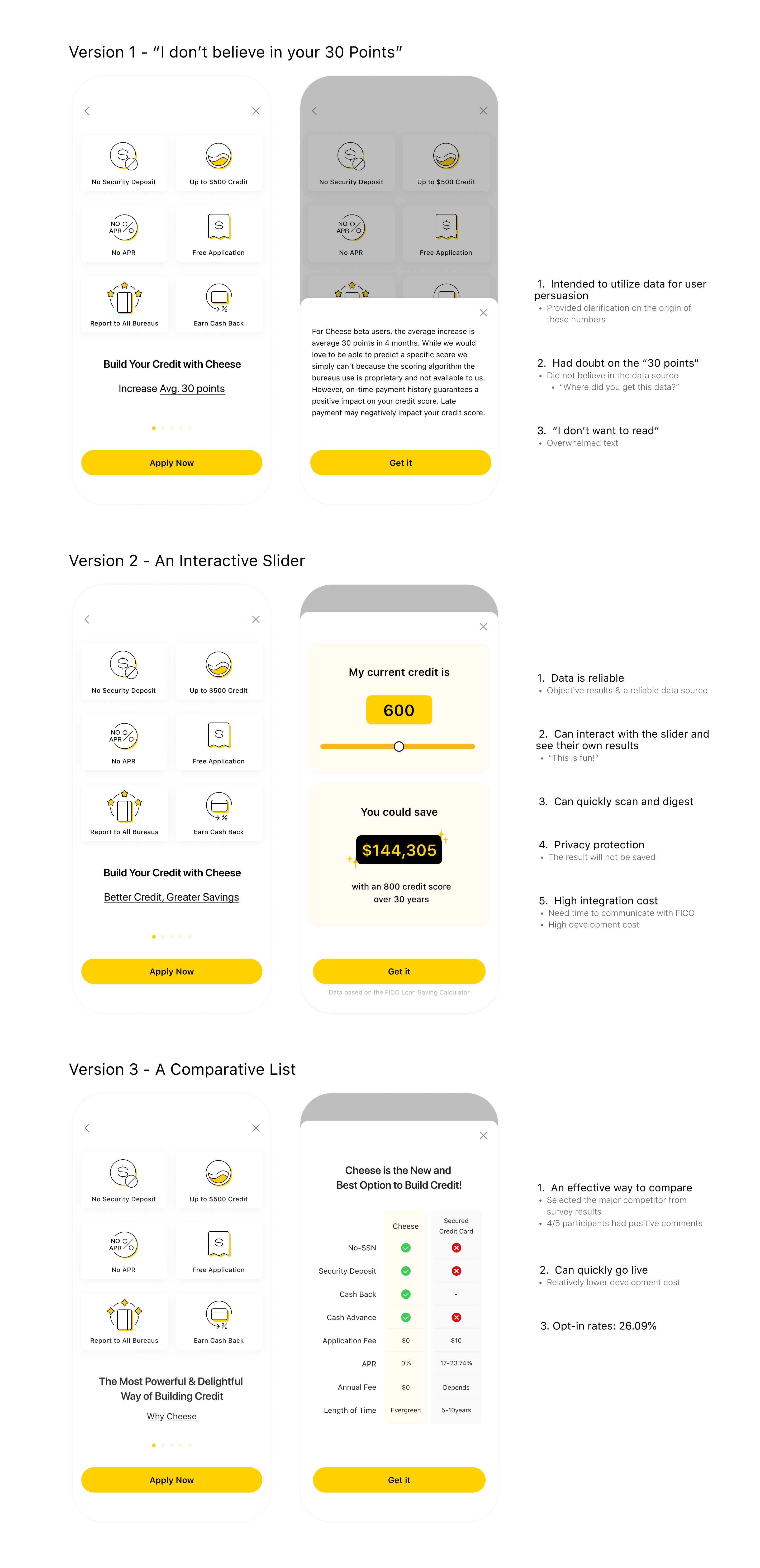
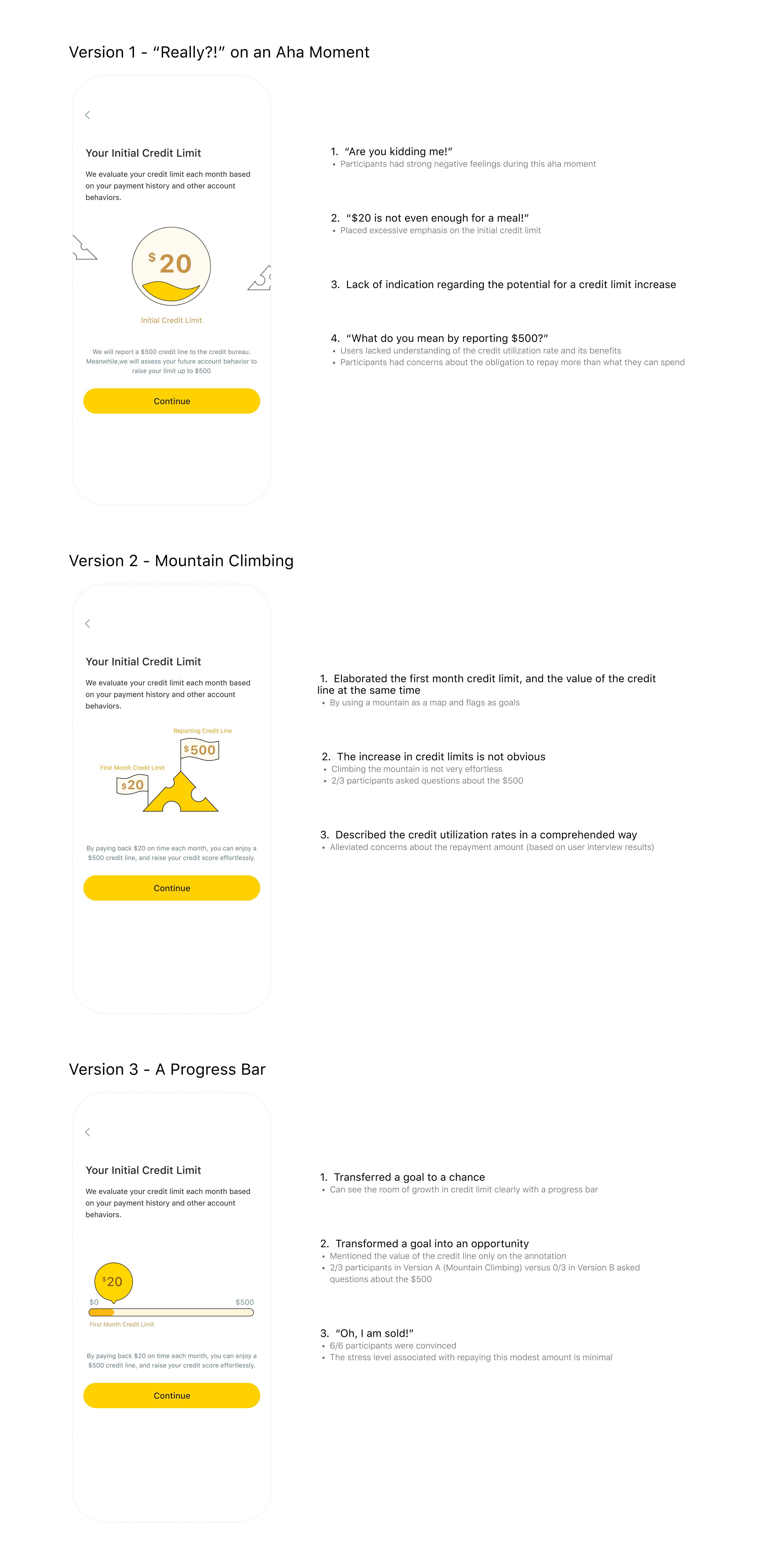
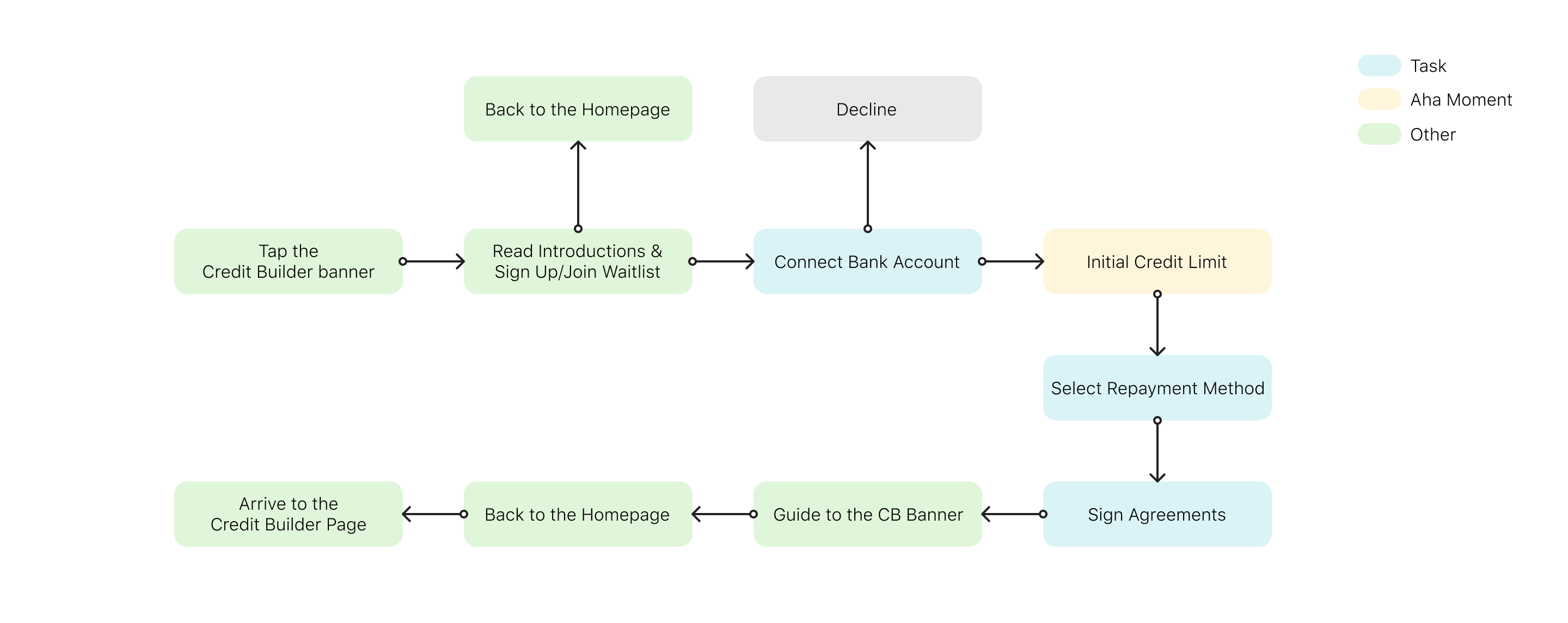
The introduction page plays an essential role in establishing trust. The initial credit limit page is an aha moment to congratulate users. It is also designed as a break between three sign-up tasks, connecting a bank account, selecting a repayment method and signing agreements, to reduce mental workload.
MID-FI WIREFRAMES
Homepage
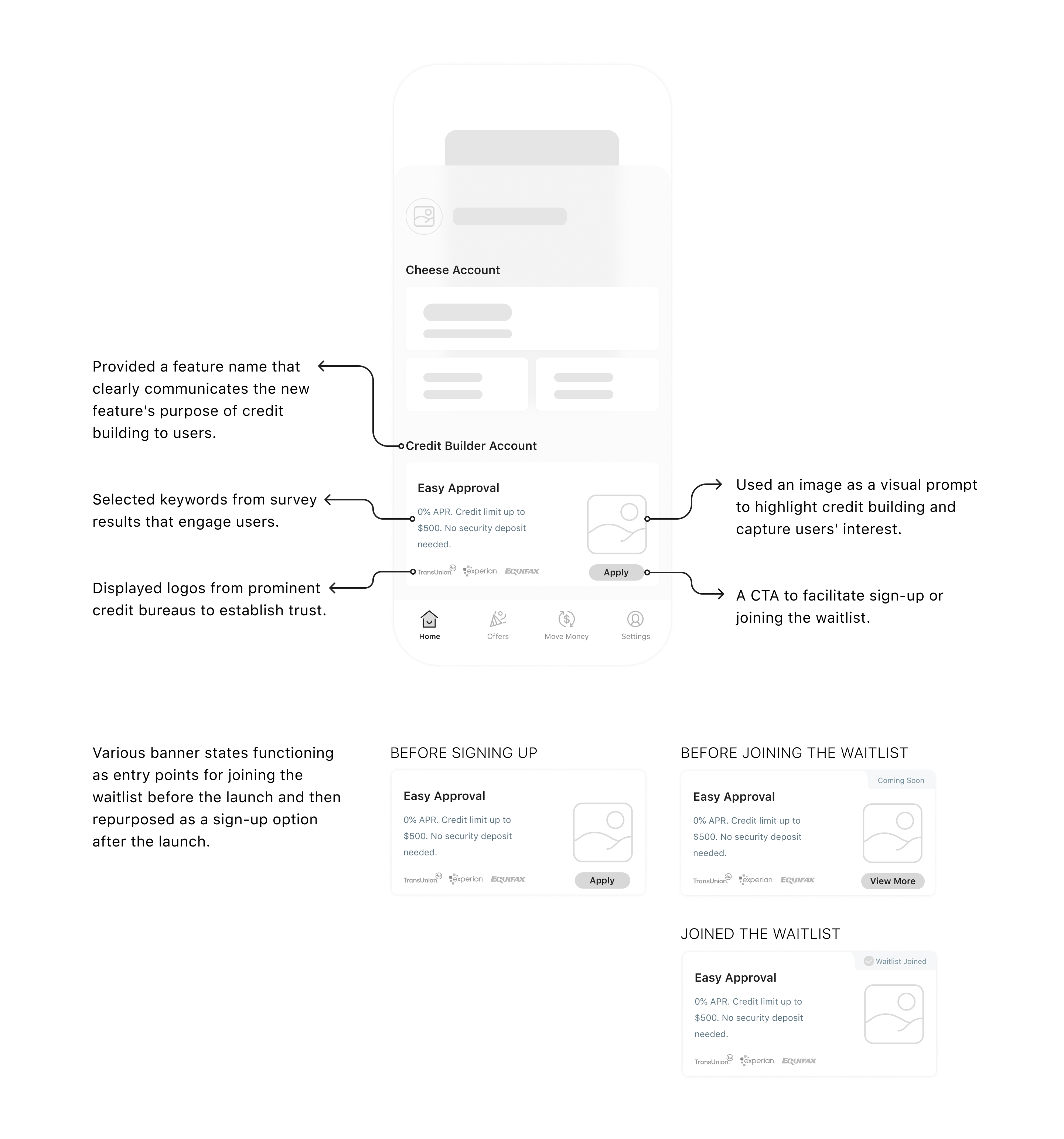
The credit builder banner is placed on the homepage's first screen because:
- It's a new feature that requires exposure.
- It holds lower priority compared to banking account management.
- It utilizes the established card pattern from the existing design system to ensure consistency and familiarity.
Introduction
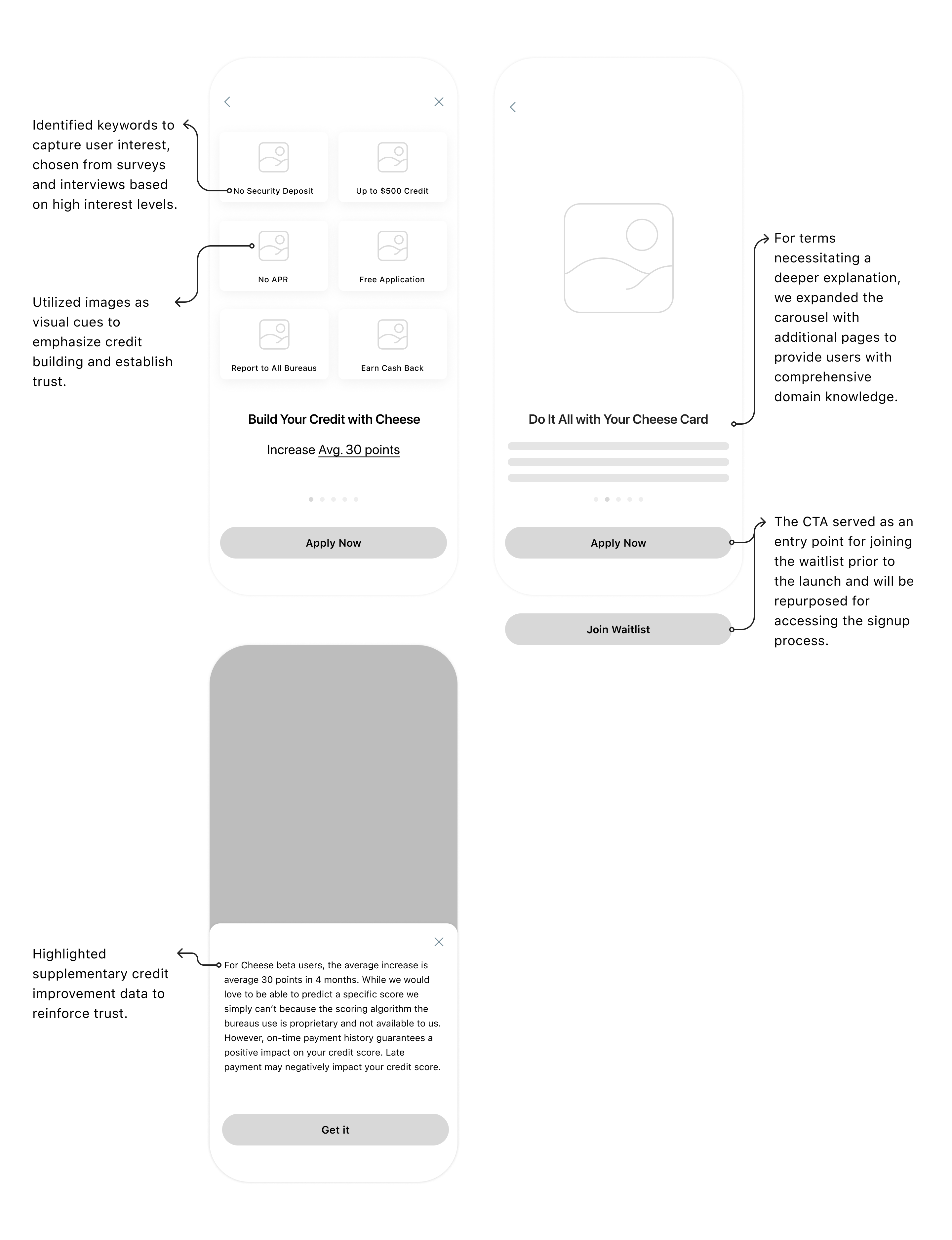
By clicking the Credit Builder banner, users can access an introductory page. This page within the carousel provides information about the feature's capabilities and benefits, with the goal of earning users' trust and encouraging them to choose the service.
Connect A Bank Account
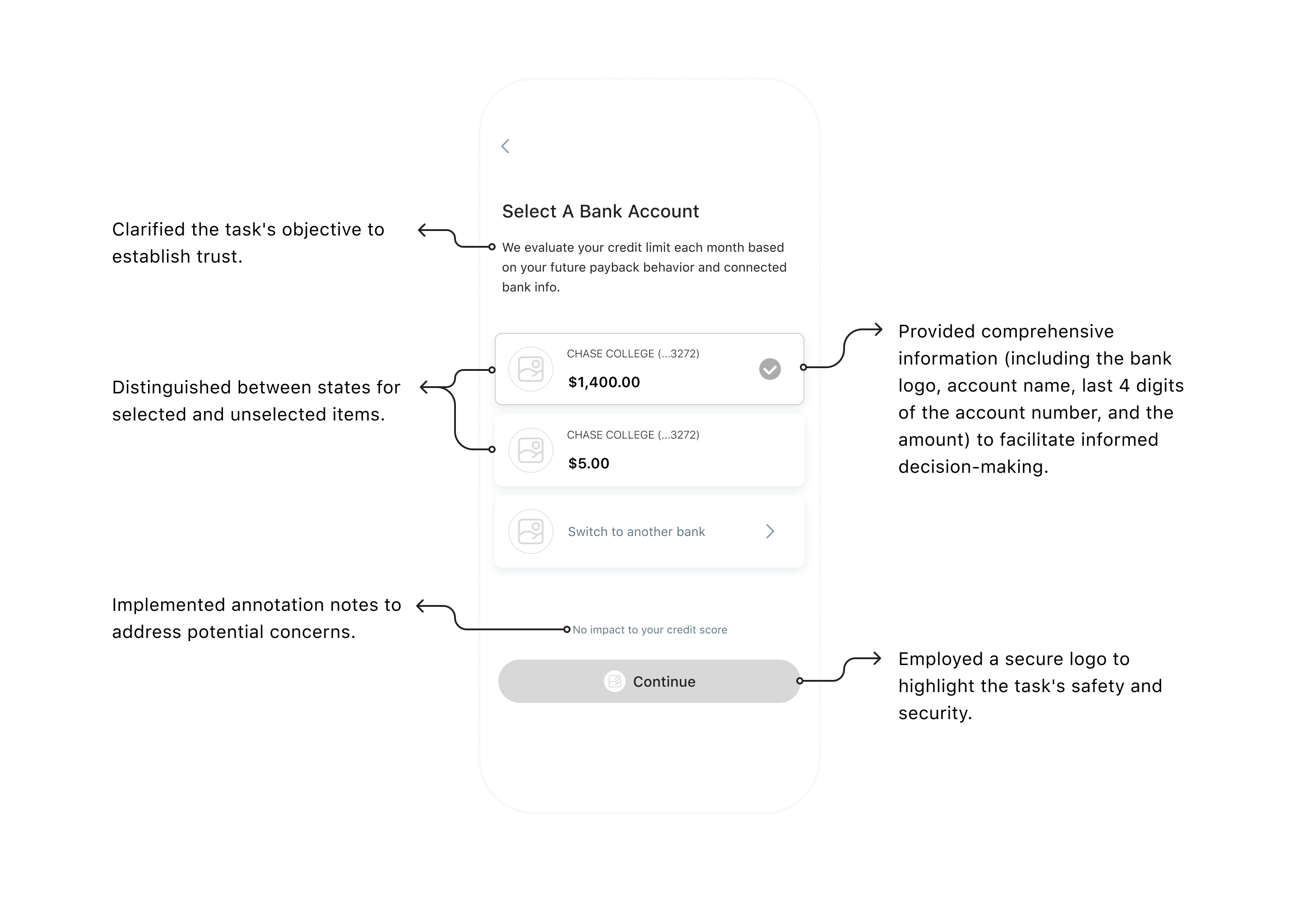
Vendors are required to verify a bank account prior to approving a credit limit. Valid Cheese users have already linked at least one external bank account. To reduce the mental workload of this task, I compiled a list of accounts connected to Cheese for easy selection. Additionally, I offered a user-controlled option to link a new account.
Approval
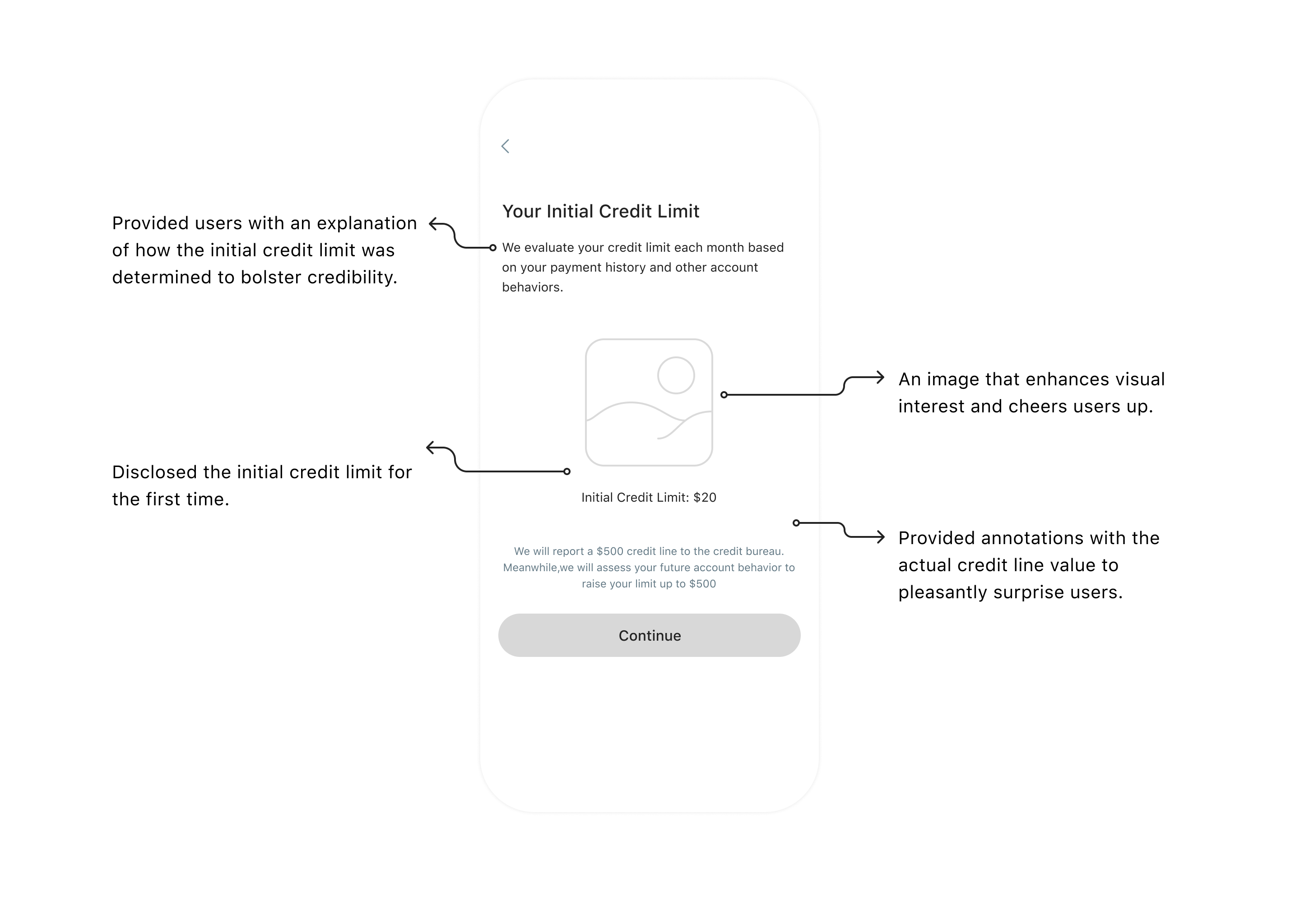
The approval page, crafted as an "aha moment," serves to boost users' spirits after completing a task. The page aims to offer congratulations and disclose the initial credit limit.
Select A Repayment Method
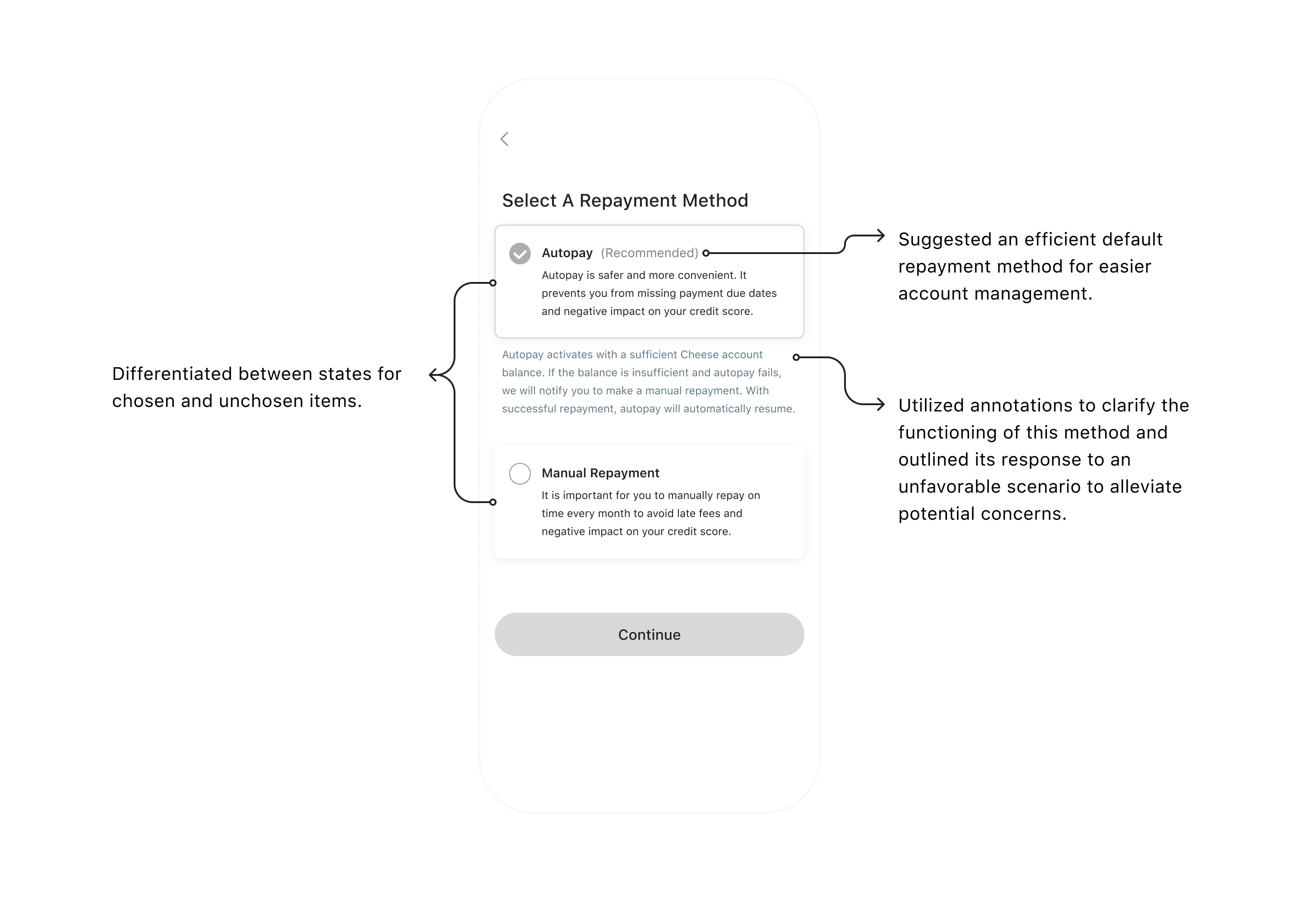
Following the introduction of the initial credit limit, now is an opportune moment to discuss repayment methods. Users can choose their preferred repayment method on this page.
Sign Agreements
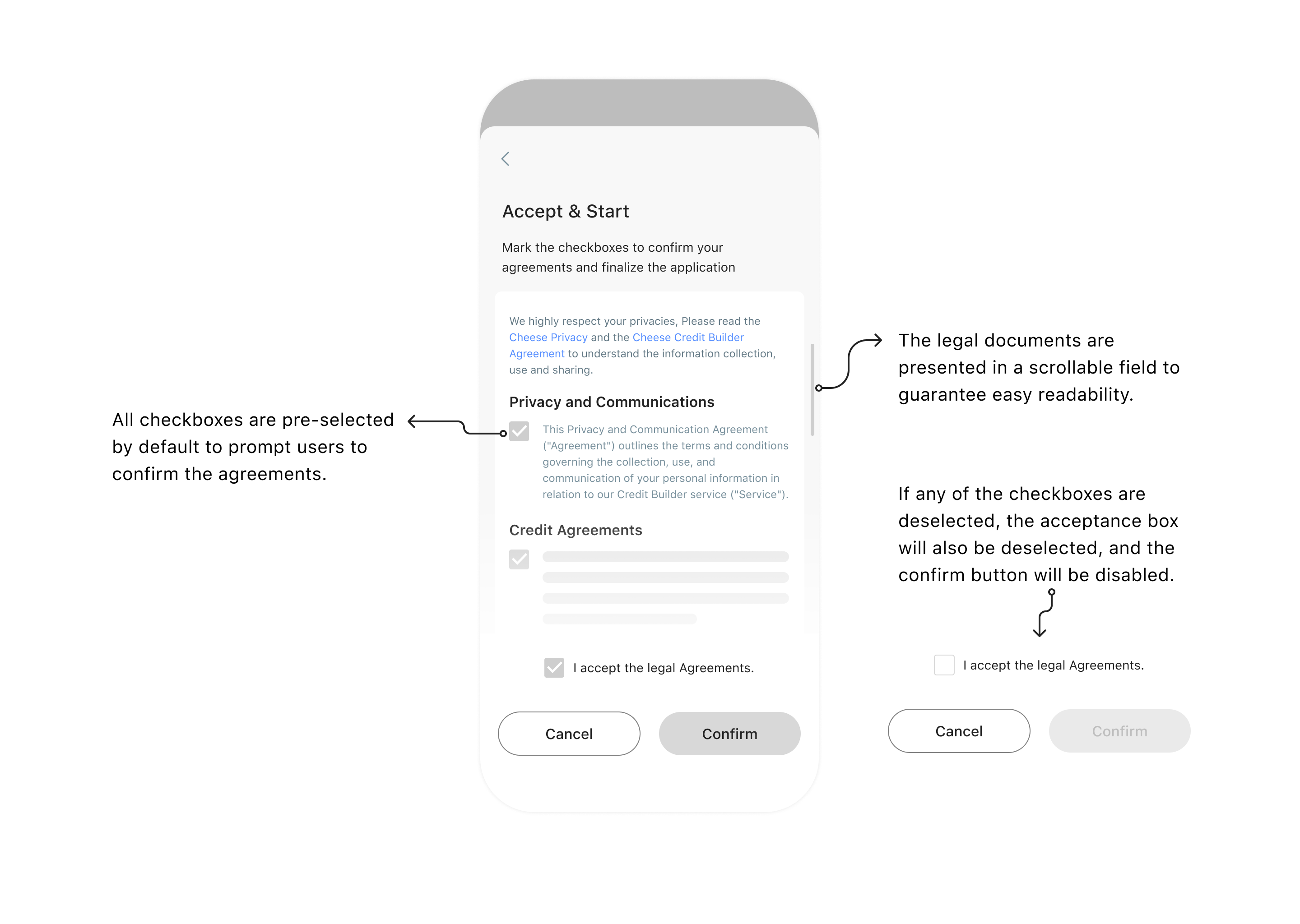
In the final step, users need to agree to legal documents. The initial state of this page has all checkboxes pre-selected, and the confirm button is active.
Guide
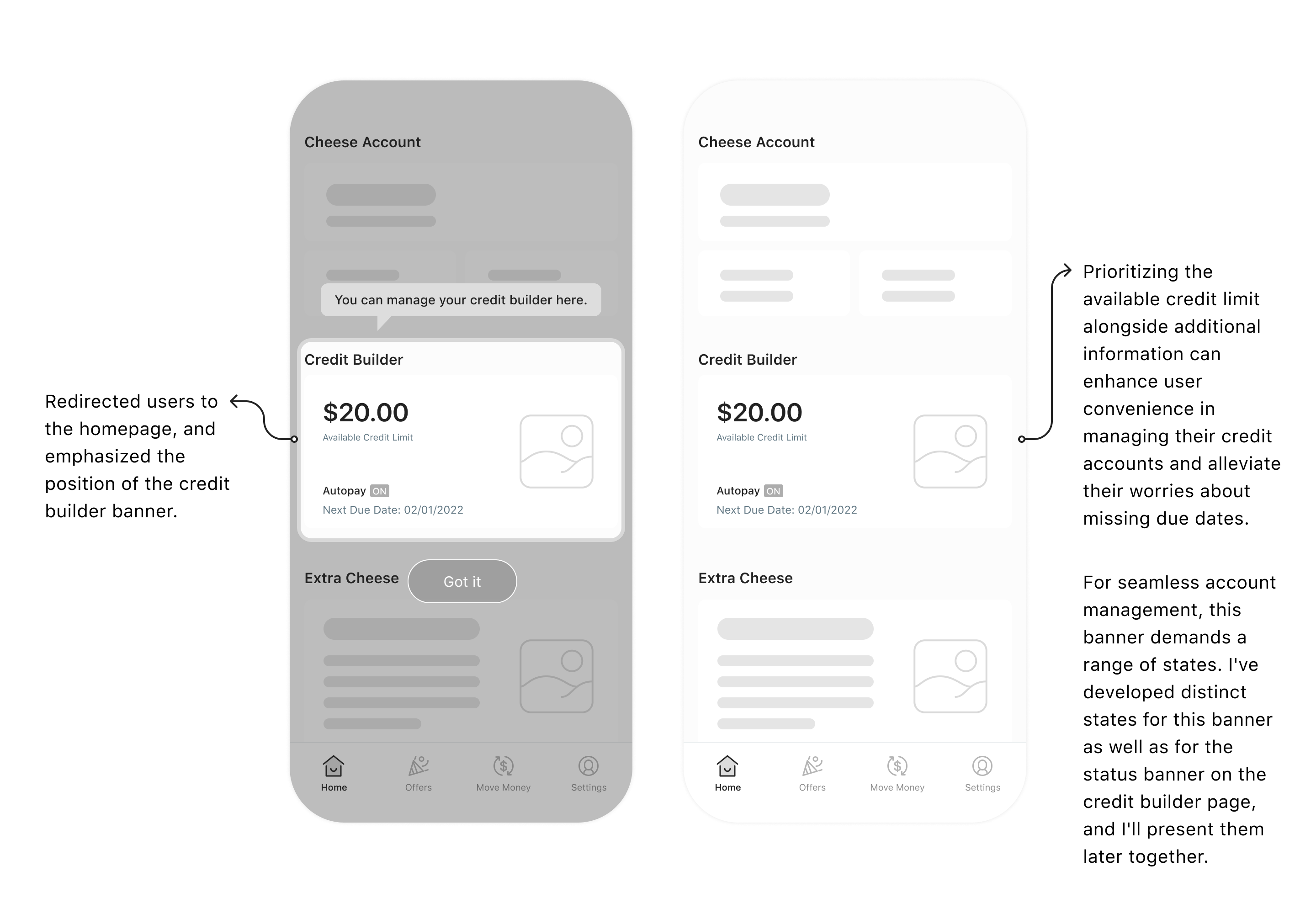
Users embark on their credit building journey from this point. To indicate the feature's location, I employed the guidance style from the design system to emphasize the credit builder banner on the homepage.
Credit Builder Page
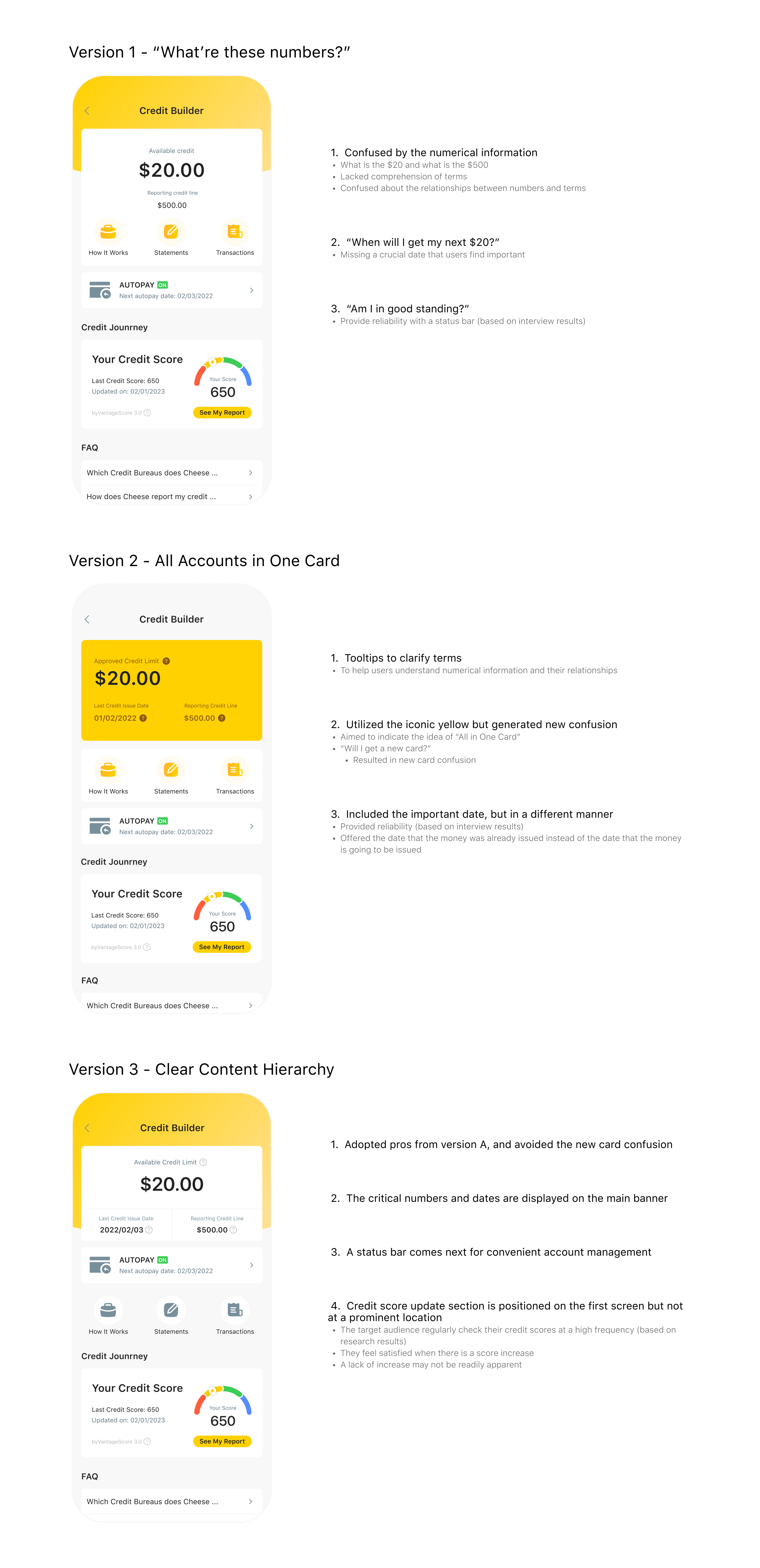
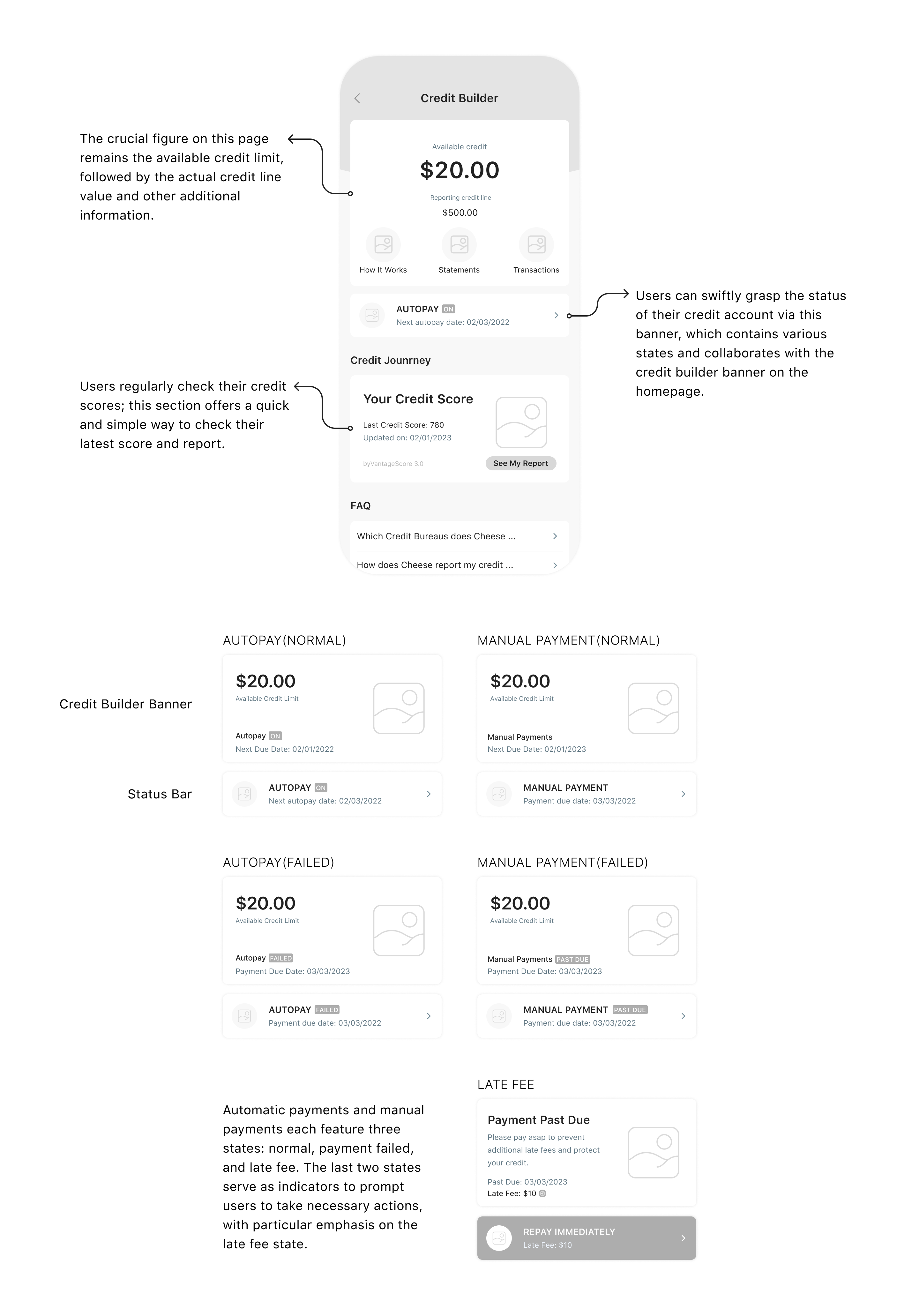
When users tap the credit builder banner on the homepage, they are directed to the credit builder page where they can access comprehensive account information and perform account management tasks.



.png)